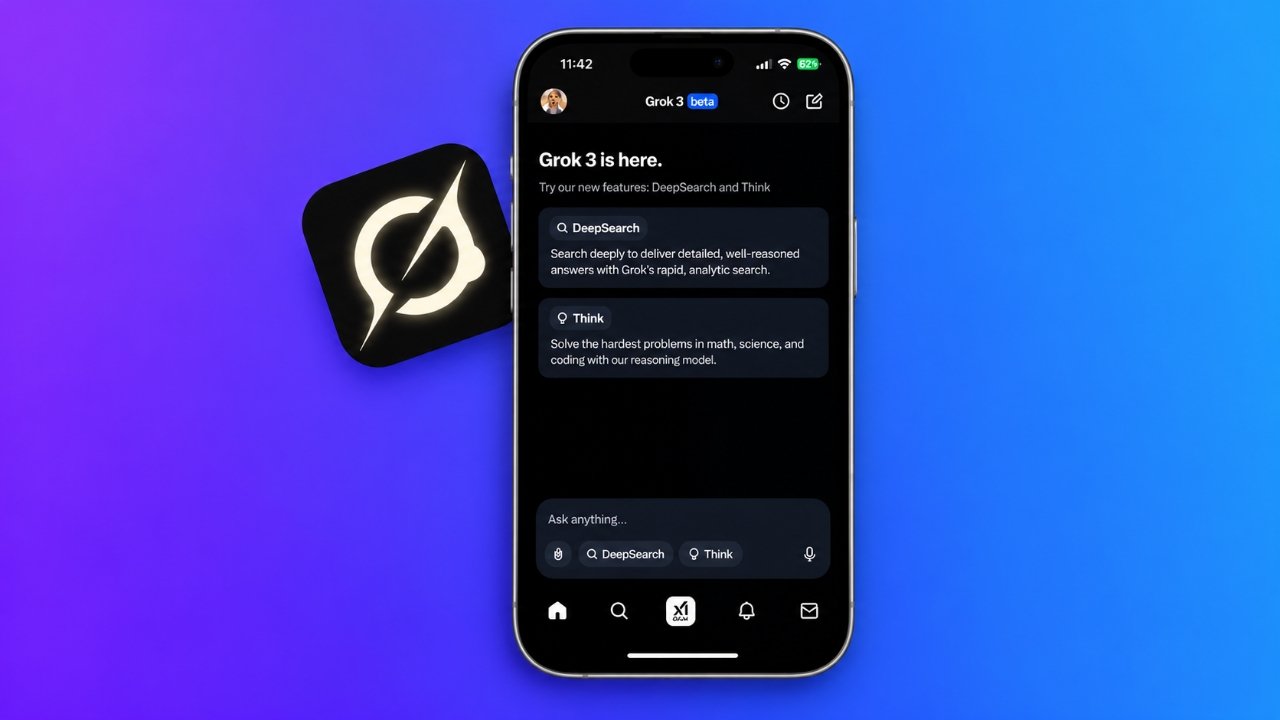
Artificial intelligence is becoming a useful part of everyday life, helping people find information, write content, solve problems, and explore new ideas. One AI assistant that has gained attention is Grok AI, a tool developed by xAI and available through its own app and the X platform.
For iPhone users, Grok provides a convenient way to interact with AI directly from a mobile device. Depending on the features available to your account, you can ask questions, explore online discussions, conduct research, generate images, and work through complex problems.
If you are new to Grok, this guide explains how it works, how to access its main features on an iPhone, and how it compares with other popular AI chatbots.
Also Read: iPhone Duo May Support Apple Pencil in a Future iOS 27.2 Update
Understanding Grok AI and How It Works
Grok AI is a conversational artificial intelligence assistant developed by xAI, a company founded by Elon Musk. It first appeared in 2023 and was initially associated with X, the social media platform formerly known as Twitter.
Like other AI chatbots, Grok allows users to communicate through natural language. Instead of searching manually for every answer, you can type a question or describe a task and receive a generated response.
For example, Grok can help you understand a technical concept, improve a piece of writing, explore a research topic, or generate ideas for a project.
One feature that distinguishes Grok is its connection with X. Depending on the tools and access available, it can help users explore public posts and discussions related to current events or trending subjects.
However, Grok should not be treated as a completely reliable source of information. AI-generated answers can contain errors, and social media discussions may include unverified claims. Checking important information against trustworthy sources remains essential.
What Can You Do With Grok AI?
Grok offers several capabilities that can support everyday tasks, learning, and research. The exact tools available may change with app updates, subscription plans, and regional availability.
1. Create Images From Text Prompts
Grok can generate images from written descriptions when its image creation tools are available to your account.
You can describe a subject, choose a visual style, and provide details about the setting or composition. The assistant then uses your instructions to produce a generated image.
For example, you might request a digital illustration of a futuristic city, a landscape at sunset, or a concept design for a technology-related project.
For better results, write specific prompts that explain the subject, lighting, background, colors, and overall appearance you want. If the first result does not meet your expectations, adjust your description and try again.
Keep in mind that image generation may have usage limits, and the results may not always match every detail of your request.
2. Research Topics With DeepSearch
DeepSearch is a research-oriented feature designed to investigate questions in greater depth than a typical conversational response.
When available, it can examine relevant online information and organize findings into a more detailed answer. This can be useful when researching a product, exploring a complicated subject, or trying to understand a developing news story.
You could use it to:
- Compare the features of different smartphones.
- Explore a technology trend.
- Investigate a topic before writing an article.
- Understand the background of a current event.
- Identify useful sources for further research.
Because deeper research may involve several steps, responses can take longer than ordinary chat replies.
Always review the sources provided and verify significant claims independently. A detailed answer is not necessarily an accurate one.
3. Explore Difficult Questions With Think Mode
Grok’s Think mode is designed for questions that require more careful analysis and multi-step problem-solving.
It may be helpful for understanding mathematical concepts, troubleshooting programming errors, studying scientific topics, or comparing different technical approaches.
For example, you can provide a coding problem and ask Grok to explain the possible cause of an error. You can also request a step-by-step explanation of a mathematical concept.
For the most useful response, include the relevant details and clearly explain what you are trying to achieve.
Although reasoning-focused tools can help with complicated tasks, they can still make mistakes. Review calculations, test code, and confirm important conclusions before relying on them.
4. Understand Public Discussions on X
Grok’s integration with X makes it useful for exploring conversations taking place on the platform.
Depending on the available features, you may be able to ask questions about public posts, examine related discussions, or get additional context about a trending topic.
This can help you understand different viewpoints or discover what people are discussing online.
Nevertheless, popularity does not establish accuracy. Posts may contain speculation, incomplete details, or misleading statements. Treat Grok’s interpretation of social media content as a starting point rather than definitive evidence.
5. Work With Images and Supported Documents
Some versions of Grok support image understanding and document-based tasks.
Where these features are available, you may be able to provide an image or supported file and ask the assistant to summarize, explain, or extract relevant information from it.
Possible uses include understanding a screenshot, reviewing a document, or identifying important points in a visual reference.
Before uploading anything, consider whether it contains private or confidential information. Avoid sharing passwords, financial details, identity documents, or sensitive personal records unless you have carefully evaluated the service’s privacy protections and the need to upload them.
How to Use Grok AI on an iPhone
Getting started with Grok is relatively simple. You can use the official Grok app if it is available in your region, or access Grok through X.
Step 1: Download the Official Grok App
Open the Apple App Store on your iPhone and search for Grok.
Check the developer information to ensure you select the official application published by xAI. Once you have confirmed the listing, install the app and open it.
If the app is unavailable in your region, visit the official Grok website to check alternative access options.
Step 2: Open the App and Ask Your First Question
After launching Grok, look for the conversation screen or text prompt field. The interface may vary slightly depending on your app version.
Type your question into the available field and submit it. Grok will generate a response based on your prompt and the features accessible to your account.
Here are a few prompts you can try:
- “Explain how a smartphone processor works in simple English.”
- “Help me write an introduction for a technology blog post.”
- “Compare the advantages and disadvantages of electric vehicles.”
- “Explain cloud computing with everyday examples.”
You can continue the conversation by asking follow-up questions. If the response is too technical, ask Grok to simplify it or provide another example.
Some features may require you to sign in, and usage limits may apply.
Step 3: Generate an Image Using Grok
If image generation is supported by your account, look for the relevant option in the app’s interface. Depending on the version, it may be accessible through a tools menu or another image-related control.
Select the image creation feature if available, then describe the result you want.
For example, enter a prompt such as:
“Create a clean, modern illustration of a smartphone on a wooden desk beside a notebook, with soft daylight and a minimalist background.”
Submit the prompt and wait for the generated result.
If the image differs from what you imagined, refine your description. You can specify the background, lighting, perspective, colors, and visual style to help guide the next attempt.
Step 4: Use DeepSearch to Investigate a Topic
When you need a detailed answer, check whether DeepSearch is available in your Grok interface.
Choose the feature and enter a question that clearly describes the information you need.
For example:
“Compare these two smartphones based on their battery capacity, camera features, software support, and current prices. Include reliable sources where possible.”
Allow Grok to complete the research. When the response is ready, review its findings and open the cited sources to check the information.
This step is particularly important for prices, product specifications, recent announcements, and other details that may change over time.
Step 5: Try Think Mode for Complex Tasks
For a question that involves several steps, look for Think mode if your account provides it.
Describe the problem clearly and include any information that could affect the answer. You might ask for help understanding a programming error, comparing technical solutions, or learning a difficult scientific concept.
Read the explanation carefully and verify the result when accuracy matters. For example, test suggested code in a suitable environment rather than assuming it will work exactly as written.
Step 6: Access Grok Through the X App
If you already use X, you may be able to open Grok without installing a separate application.
Launch X and locate the Grok option in the app’s interface. Select it to open the assistant, then enter your question.
Depending on the features available to your account, you may also be able to explore a public post and ask Grok questions about its content.
This can be convenient when you want to understand an online discussion or investigate a trending topic.
The exact interface and access requirements may change. Certain tools may require an eligible account or subscription.
Grok AI vs. ChatGPT vs. DeepSeek
Grok, ChatGPT, and DeepSeek all provide conversational AI capabilities, but their integrations and available tools differ.
| Feature | Grok AI | ChatGPT | DeepSeek |
|---|---|---|---|
| Answering general questions | Yes | Yes | Yes |
| Writing assistance | Yes | Yes | Yes |
| Complex problem-solving | Available reasoning tools | Available reasoning tools | Available reasoning tools |
| Image generation | Supported features, depending on access | Supported features, depending on access | Depends on available tools |
| Integration with X | Direct integration | No equivalent native integration | No equivalent native integration |
| Online research | Search and DeepSearch, where available | Search and research tools, where available | Depends on the available tools |
| Document and image analysis | Depends on current features | Depends on current features | Depends on current features |
This table provides a general overview rather than a permanent feature list. Capabilities, model options, and usage limits can change over time.
Which AI Assistant Is Right for You?
The best choice depends on how you plan to use an AI assistant.
Grok AI may suit you if you regularly use X, want to explore public conversations, or are interested in its research and image generation tools.
ChatGPT is worth considering if you want a general-purpose assistant for writing, learning, coding, research, and other everyday tasks.
DeepSeek may be useful if you want to explore its conversational abilities and reasoning tools, particularly for technical questions and problem-solving.
You do not have to rely on a single assistant for everything. Comparing responses from different tools can help you identify useful explanations, notice inconsistencies, and decide which answer best meets your needs.
Is Grok AI Free on iPhone?
Grok may provide free access to selected features, but availability and usage limits depend on the current service offering.
Some tools or higher usage allowances may require a paid subscription. Access can also vary by region, account type, and the version of the app you are using.
Before paying for a subscription, review the current pricing, included features, and usage restrictions through the official app or Grok website.
Avoid assuming that all features are free, that access is unlimited, or that current pricing will remain unchanged.
Can You Trust the Answers Generated by Grok?
Like other AI assistants, Grok can misunderstand a question, produce inaccurate details, or present an unsupported statement in a convincing way.
This is especially important when using AI to research current events, evaluate technical specifications, or interpret claims shared on social media.
To improve the reliability of your research, follow these practical guidelines:
- Verify important claims using reputable sources.
- Check dates, figures, prices, and product specifications.
- Review original sources instead of relying only on AI summaries.
- Distinguish personal opinions from verified information.
- Test code and calculations before using the results.
- Avoid entering confidential or sensitive personal information.
Grok can be a useful research companion, but it should not replace independent verification or professional advice where that is necessary.
Tips for Getting Better Results From Grok
The quality of an AI response often depends on how clearly you explain your request. A few simple adjustments can make your conversations more productive.
Be specific about your goal. Instead of asking for information about smartphones generally, explain whether you want a buying comparison, a technical explanation, or a list of important features.
Provide relevant context. Include details such as your experience level, intended audience, or the problem you are trying to solve.
Ask follow-up questions. If an answer is incomplete, request clarification or ask the assistant to explain a particular point in more detail.
Request reliable references. When researching factual topics, ask for sources and check them yourself.
Review the final result. Read AI-generated text carefully before publishing it, sharing it, or using it to make a decision.
These habits can help you get more useful results from Grok and other AI chatbots.
Also Read: How to Create 1080p Videos With Grok Imagine Video 1.5: A Complete Guide
Final Thoughts
Grok AI gives iPhone users another way to explore artificial intelligence through conversational assistance, online research, image generation, and integration with X. Depending on your account and the features currently available, it can help with everything from understanding unfamiliar topics to investigating public discussions and developing creative ideas.
To begin, install the official Grok app or open Grok through X, enter a question, and explore the tools available to you.
As with any AI assistant, remember that generated responses are not always accurate. Verify important information, protect your personal data, and review the available features and subscription terms before using the service extensively.
Used thoughtfully, Grok can be a practical addition to your everyday research, learning, and productivity toolkit.
Advertisements