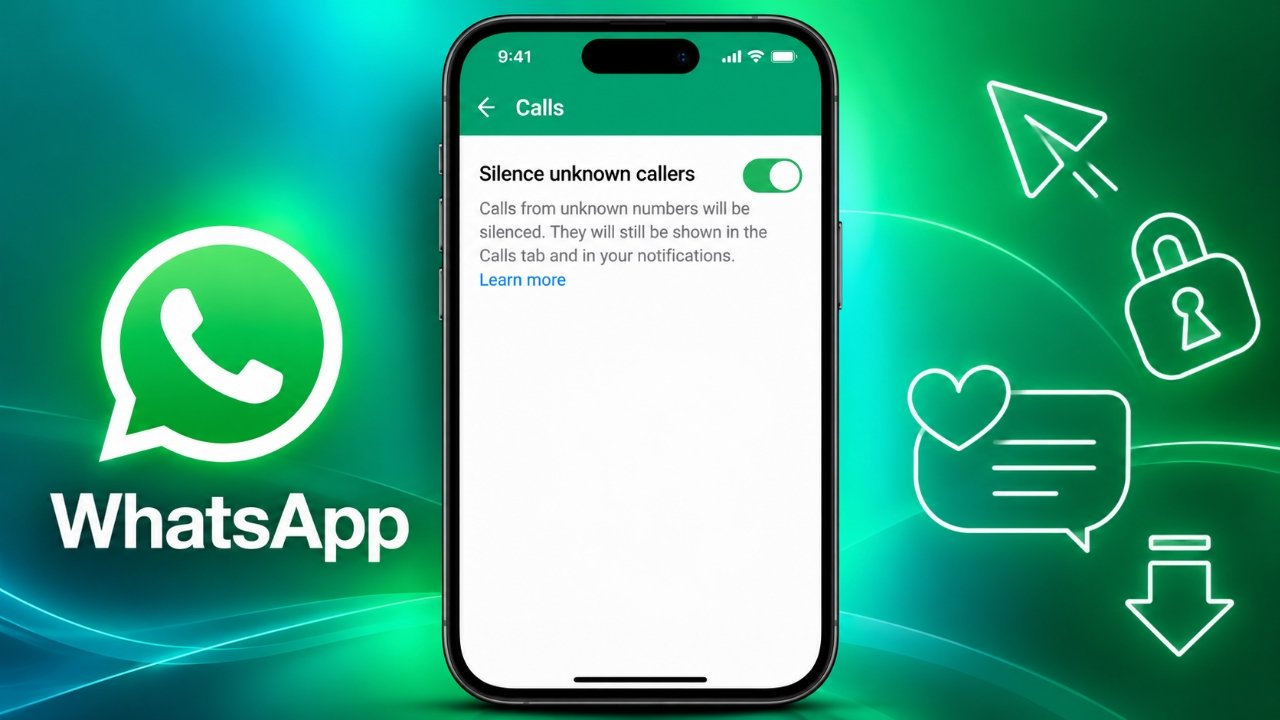
WhatsApp makes it easy to stay connected with friends, family, and colleagues. However, receiving calls from unfamiliar numbers can sometimes become annoying, especially when they interrupt your work, studies, or personal time. Fortunately, WhatsApp includes a privacy feature that allows you to silence calls from unknown numbers without blocking them completely.
In this guide, you will learn how to enable the feature on Android and iPhone, what happens after you turn it on, and how to manage unknown callers more effectively.
Also Read: WT Hub – Web Scanner App: Features, How to Use and Safety Tips
What Is the Silence Unknown Callers Feature on WhatsApp?
The Silence Unknown Callers feature helps users manage unwanted interruptions by preventing calls from unknown numbers from ringing normally. When enabled, eligible calls are silenced rather than appearing as regular incoming calls that demand your immediate attention.
This feature can be particularly useful for people who frequently receive calls from numbers they do not recognize or who prefer to keep their WhatsApp experience more private.
Here are some of its main benefits:
- Fewer interruptions: Unknown calls will not ring normally when the feature is active.
- Better privacy: You can avoid being disturbed by unexpected callers.
- Easy call management: You can review silenced calls later in WhatsApp.
- No need to block everyone: You can silence unfamiliar callers without automatically blocking them from contacting you.
Keep in mind that silencing a call is different from blocking a number. The feature does not automatically prevent unknown callers from sending you messages.
How to Silence Unknown Calls on WhatsApp for Android
No images are needed for these instructions.
If you use an Android smartphone, follow these steps to enable the setting:
- Open WhatsApp on your phone.
- Tap the three-dot menu in the top-right corner.
- Select Settings.
- Open Privacy.
- Look for the Calls option.
- Find Silence unknown callers and turn it on.
Once the setting is enabled, calls from eligible unknown numbers will be silenced automatically.
You can return to the same menu whenever you want to change this preference.
How to Silence Unknown Calls on WhatsApp for iPhone
iPhone users can access the same privacy feature through WhatsApp’s settings.
Follow these instructions:
- Launch WhatsApp on your iPhone.
- Tap Settings in the bottom-right corner.
- Select Privacy.
- Open Calls.
- Enable Silence Unknown Callers.
The setting will then help prevent calls from unknown numbers from ringing normally.
If you cannot find this option, check whether WhatsApp is updated to the latest version available for your device. Menu labels and settings may vary slightly depending on the app version.
What Happens When You Silence Unknown Callers?
Turning on this feature does not mean every unknown call disappears from your account. Instead, it changes how those calls alert you.
Here is what you should know:
| Feature | What happens |
|---|---|
| Incoming calls | Calls from eligible unknown numbers are silenced. |
| Call history | Silenced calls can be reviewed in the Calls tab. |
| Messages | Unknown callers may still send messages. |
| Returning calls | You can call back if you decide the number is legitimate. |
| Blocking | Silencing does not automatically block the caller. |
This makes the feature useful when you want fewer interruptions but still want to check whether you missed an important call.
For example, if a delivery driver, service provider, or someone you know contacts you from an unfamiliar number, you can review the missed call and decide whether to respond.
How to Turn Off Silence Unknown Callers
If you no longer want unknown calls to be silenced, you can disable the feature at any time.
On Android, open WhatsApp and navigate to Settings → Privacy → Calls.
On iPhone, open WhatsApp and go to Settings → Privacy → Calls.
Switch off the Silence Unknown Callers option. Afterward, eligible unknown calls can ring normally again, depending on your phone’s notification settings.
Silence or Block Unknown Numbers: Which Is Better?
Although both options can help you manage unwanted contact, they serve different purposes.
Choose silence if you want to avoid interruptions while keeping the option to review missed calls and contact legitimate callers later.
Choose block if a particular number repeatedly sends unwanted messages or makes unwanted calls. Blocking is more restrictive and prevents that account from contacting you through WhatsApp in the usual way.
If you receive suspicious calls, avoid sharing passwords, verification codes, banking details, or other sensitive information. You can also report suspicious accounts to WhatsApp when appropriate.
Frequently Asked Questions (FAQs)
1. Will unknown callers know that I have silenced their calls?
WhatsApp does not send a specific notification telling callers that you have enabled the Silence Unknown Callers feature. However, callers may still notice that you are not answering.
2. Can I see missed calls from unknown numbers?
Yes. Silenced calls can appear in the Calls tab, allowing you to review them later.
3. Does silencing unknown calls block WhatsApp messages?
No. This feature is designed to silence calls, not automatically block messages. Unknown numbers may still send messages unless you block them separately.
4. Can I enable this feature on both Android and iPhone?
Yes. WhatsApp provides this privacy option on supported Android and iPhone versions. The exact menu layout may differ slightly between devices and app versions.
5. Should I silence or block spam callers?
If you simply want fewer interruptions, silencing unknown calls may be enough. If a specific account is repeatedly contacting you with spam or suspicious messages, consider blocking and reporting it.
Also Read: How to Delete WhatsApp Call History on Android and iPhone
Final Thoughts
The Silence Unknown Callers feature is a convenient way to reduce interruptions on WhatsApp without losing access to your call history. Once enabled, it allows you to review missed calls at a time that suits you instead of responding to every unfamiliar number immediately.
Whether you use WhatsApp for personal conversations or everyday communication, adjusting your call privacy settings can help you manage unwanted contact more comfortably. For suspicious callers, remember that blocking and reporting are available when additional protection is needed.
Advertisements